
What to Expect from iOS 19
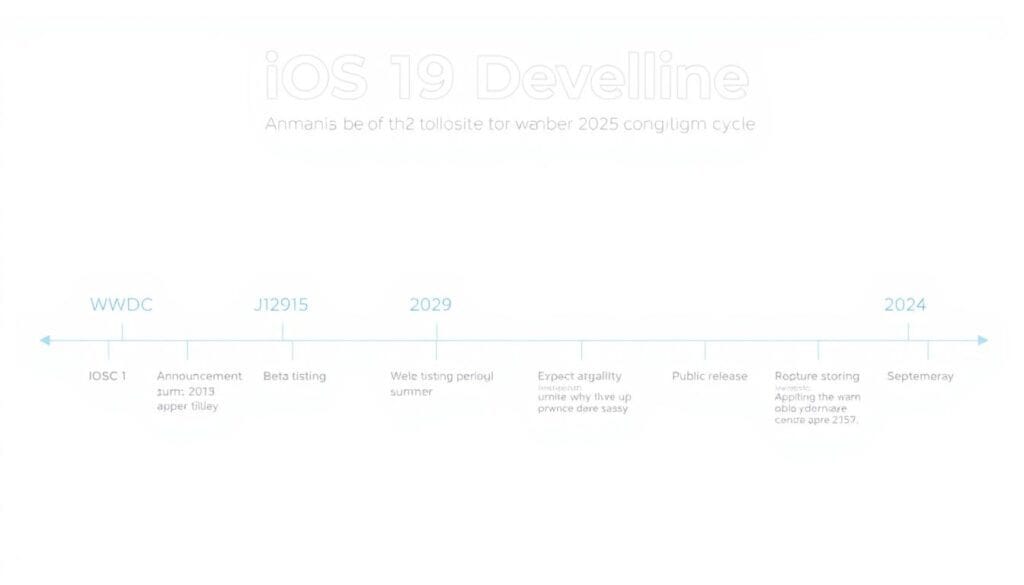
Apple typically unveils its new iOS version at the Worldwide Developers Conference (WWDC) in June, with iOS 19 likely to be announced on June 9, 2025. Developer betas usually follow immediately, with public betas arriving a few weeks later. The final release traditionally coincides with new iPhone launches in September. Early rumors suggest iOS 19 could feature a significant visual redesign inspired by visionOS, with enhanced Apple Intelligence capabilities and numerous quality-of-life improvements.
User Interface Enhancements

Redesigned Control Center
The Control Centre has been a pain point for many iOS users, especially after the iOS 18 revamp that many found more complicated than helpful. Users are hoping for a more intuitive design with customizable layouts that don’t restrict widget placement to a rigid grid system.
Imagine a Control Center where you could freely position controls anywhere on the screen, resize them according to importance, and even create multiple pages with different control sets for various contexts like work, home, or travel. This would address the frustration many users experience when accidentally hitting controls or struggling to find frequently used toggles.
Split Screen Multitasking

While iPads have enjoyed split-screen capabilities for years, iPhones—especially the larger Pro Max models—still lack this functionality despite having ample screen real estate. Android phones have offered this feature for generations, making its absence on iOS particularly noticeable.
A well-implemented split screen feature would allow users to run two apps simultaneously, perhaps with a simple activation gesture. This would be particularly useful for referencing information while taking notes, comparing prices while shopping, or watching a video while messaging.
Customizable App Icons
While iOS 14 introduced the ability to create custom app icons through Shortcuts, the process is cumbersome and results in a less seamless experience. Users want native support for changing app icons without workarounds, similar to how Android handles icon packs.
Apple Intelligence Improvements

Enhanced Siri with App Awareness
Apple Intelligence debuted in iOS 18, but many users found it lacking compared to competitors like Google Assistant. For iOS 19, users are hoping for a more capable Siri with true contextual awareness that can understand what’s happening on screen and interact with apps intelligently.
Imagine asking Siri to “summarize this article” while reading in Safari, or “remind me about this conversation tomorrow” while in Messages, and having it understand exactly what you’re referring to. This level of integration would transform Siri from a basic assistant to an indispensable productivity tool.
Smarter Photo Organization

While iOS 18 improved photo search with better AI image recognition, users want more intelligent organization. An event-based timeline that automatically groups photos from the same occasion would be a game-changer for managing growing photo libraries.
This feature would intelligently identify photos taken at the same event, prompt for confirmation and a title, and create a chronological timeline of events that’s easily searchable. This would eliminate the tedious process of manually creating albums for every occasion.
Intelligent Keyboard Improvements
Text selection and autocorrection on iOS have long been frustration points. Users want a smarter keyboard with more accurate text prediction, better cursor control, and the ability to learn from correction patterns. Adding a dedicated number row option would also save countless taps when entering mixed alphanumeric text.
Privacy and Security Features

App-Specific Face ID Authentication
iOS 18 introduced the ability to lock individual apps with Face ID, but users want this extended to specific settings within apps and the Settings app itself. This would prevent unauthorized changes to important settings like payment methods or location services, even if someone has your device passcode.
Imagine being able to share your phone with a friend or child without worrying they might accidentally change important settings or access sensitive information. This granular control would significantly enhance privacy without compromising convenience.
Enhanced Password Management

The built-in Passwords app is convenient but lacks features found in third-party password managers. Users want the ability to add attachments to password entries (like screenshots of security questions), create custom categories, and set a separate master password distinct from their Apple ID password.
These enhancements would make the native password manager robust enough to replace third-party solutions, keeping sensitive information within Apple’s secure ecosystem.
Customization Options

Advanced Home Screen Layout
While iOS 16 and 18 brought welcome customization to the Lock Screen and Home Screen, users still feel constrained by Apple’s rigid grid system. The ability to freely place icons anywhere on the screen, adjust icon sizes, and utilize space would allow for truly personalized layouts.
This is especially important on larger iPhone models, where the standard grid leaves awkward empty spaces that could be better utilized. Users want the freedom to create layouts that match their usage patterns rather than conforming to Apple’s predetermined grid.
Widget Transparency Controls

Current widgets can sometimes clash with wallpapers or create visual inconsistency. Adding opacity and transparency controls would allow users to better integrate widgets with their chosen wallpapers and create more harmonious Home Screen designs.
This seemingly small change would significantly enhance the visual customization options available to users who take pride in their iPhone’s appearance.
Ecosystem Integration

Universal Notification Center
One of the most requested features is a truly universal notification center that syncs across all Apple devices. When you dismiss a notification on your iPhone, it should disappear from your iPad and Mac as well, eliminating the frustration of dealing with the same alerts multiple times.
This seamless notification experience would better reflect how users move between devices throughout their day and prevent notification fatigue from seeing the same alerts repeatedly.
Cross-Device Battery Widgets

While iOS currently shows battery status for connected accessories like AirPods, users want a comprehensive widget that displays battery levels for all Apple devices signed into their Apple ID. This would make it easy to see at a glance which devices need charging without having to check each one individually.
This widget would be particularly useful for users deeply invested in the Apple ecosystem who regularly switch between multiple devices.
AirPods Management Improvements
AirPods users want more control over firmware updates and device management. Currently, AirPods update automatically with no user notification or control. A dedicated AirPods management section with manual update options and detailed battery statistics would give users more transparency and control over their audio accessories.
Productivity Enhancements

Clipboard Manager
iOS currently only remembers the last item copied to the clipboard. Users want a comprehensive clipboard manager that maintains a history of copied items and allows searching through previously copied text, images, and links.
This would eliminate the frustration of losing important information when copying something new and would streamline workflows that involve referencing multiple pieces of information.
Enhanced Notes App

The Notes app has become increasingly powerful, but users want more advanced features like edit history to track changes and revert to previous versions. Integration with Calendar and Reminders would also create a more cohesive productivity system within Apple’s native apps.
These enhancements would make Notes competitive with dedicated note-taking apps and further cement it as a central hub for information management.
Focus Mode Improvements
While Focus modes help manage distractions, users want more granular controls and customization options. The ability to create custom status messages for different Focus modes and set app-specific behaviors would make this feature more versatile for different work and life scenarios.
Quality of Life Improvements

Separate Volume Controls
Currently, iOS uses the same volume level across different audio types. Users want separate volume controls for music, system sounds, calls, and notifications to avoid situations where music is too quiet but notification sounds are too loud.
This seemingly small change would significantly improve the audio experience across different contexts and eliminate the need to constantly adjust volume levels when switching between activities.
Advanced Camera Controls

Professional iPhone photographers want more granular camera controls, including the ability to force a specific lens in challenging lighting conditions. Currently, the camera app sometimes automatically switches to a different lens in low light, which can be frustrating when trying to achieve a specific composition.
These advanced controls would give users more creative freedom without needing to resort to third-party camera apps.
Kids Mode
Parents want a comprehensive, sandboxed kids’ mode that restricts access to appropriate apps and content. This would be more convenient than the current Screen Time controls and would make sharing devices with children safer and easier.
Want to Try iOS 19 Features Early?
Apple’s Beta Software Program lets you test upcoming iOS features before they’re officially released. Sign up to be among the first to experience iOS 19 when the public beta becomes available after WWDC 2025.
The Future of iOS

As we look ahead to iOS 19, it’s clear that users want Apple to balance innovation with refinement. While flashy new features capture headlines, it’s often the quality-of-life improvements and bug fixes that most impact daily usage. The wishlist items outlined above represent a blend of bold new capabilities and thoughtful enhancements to existing features.
Apple has always maintained a careful balance between introducing new functionality and preserving the simplicity that makes iOS accessible to everyone. With iOS 19, users hope to see Apple push boundaries while maintaining the reliability and intuitive design that defines the iPhone experience.
What features are on your iOS 19 wishlist? Share your thoughts and stay tuned for Apple’s official announcements at WWDC 2025, where we’ll see which of these wishes might come true.